
Complete Whatnot seller guide: from account to WhatCopilot
Create a Whatnot account, apply to sell, run your first livestream, understand fees and shipping, then analyze sales with WhatCopilot and Orion.
Key takeaways
- Whatnot is a live shopping marketplace: traffic concentrates on livestreams, not passive listings.
- Buyer signup is quick; selling requires an approved seller application (supported countries include the US, UK, FR, and more).
- After approval: seller verification, Rehearsal Mode, then your first live to unlock the full Seller Hub.
- Whatnot fees (commission + processing) and shipping heavily affect real margin, always check the official Help Center.
- Native Seller Analytics is useful but limited (latency, weak real-margin depth, no AI coach).
- WhatCopilot (third-party) imports the Seller Weekly Orders Report CSV for KPIs, estimated margin, and Orion, free to start with one shop.
You want to sell on Whatnot, but the official docs are scattered: account, seller application, first live, fees, shipping, analytics. This walkthrough stitches the full path, from first click to margin reads with WhatCopilot.
We start with platform basics, then move into the CSV cockpit (KPIs, estimated margin, Orion). WhatCopilot stays a third-party tool, independent of Whatnot.
What is Whatnot?
Whatnot is a live shopping marketplace: you buy and sell in livestream video around passions (TCG/sports cards, sneakers, streetwear, vintage, comics, toys, and more). Unlike a cold listing on eBay, traffic concentrates on live shows, chat, short auctions, Buy It Now, and giveaways.
Access is via the iOS/Android app or the web at whatnot.com. Typical sellers are collectors, resellers, and small shops willing to perform live regularly. Seller overview: whatnot.com seller.
How to create a Whatnot account
Creating a Whatnot account (buyer or base) takes a few minutes in the app or on the website. Official guide: Create a Whatnot account.
Open Whatnot
Download the app (App Store / Google Play) or go to whatnot.com.
Sign up
Choose Google, Apple, Facebook, or email.
Complete your profile
Follow the on-screen preference steps through confirmation.
Secure recovery
Use a valid email and phone number for login and recovery.
Important: one email equals one account. Do not change email while a seller application is under review.
Illustration
Whatnot app home or sign-up screen
How to sell on Whatnot: seller application
To sell on Whatnot you must submit a seller application and get approved. Sources: Start selling on Whatnot and Apply to sell on Whatnot.
Eligibility: supported seller country (US, FR, UK, DE, and more) and age 13+ (13–17 need parental permission). Locations & currency: Seller location & currency.
Start the application
In the app: + Sell → Get Started.
Accept the rules
Community Guidelines, read them; they affect approval.
Describe your activity
Primary category, experience, typical monthly sales, other marketplaces.
Add credibility
Social links, return address, legal name (as on ID).
Submit and wait
Often fast, sometimes up to ~2 weeks, Seller Application FAQ.
Some categories (luxury bags, Surprise Sets for sneakers/streetwear, wholesale) need extra approval. Do not change username/email during review.
Illustration
Whatnot seller application flow in the mobile app
Verification, Rehearsal Mode, and your first livestream
After approval, Whatnot requires seller verification before your first live. Prep inventory, listings, lighting/camera, thumbnail, and schedule, then book your first show.
- Use Rehearsal Mode to practice without a real audience, Practice going live.
- Common formats: auctions, Buy It Now (+ offers), giveaways, flash sales.
- The full Seller Hub is often unlocked after your first successful live.
- Set up shipping before you sell to avoid checkout surprises.
Illustration
Whatnot Rehearsal Mode interface for practicing livestreams
Whatnot shipping, seller fees, and payouts
Before you scale shows, lock shipping profiles, understand fees, and connect payouts (Stripe Connect). These three levers drive real margin more than gross show revenue.
Shipping and labels
Create shipping profiles (packed weight/dimensions): they drive checkout cost, labels, and Smart Bundling™. Guides: Set up shipping before you sell and Select a shipping profile.
Buyers usually pay shipping. Free shipping / giveaways shift cost to the seller (including processing). Underestimating weight causes carrier adjustments that erode margin.
Illustration
Whatnot shipping profiles configuration in Seller Hub
Fees and commission
Whatnot automatically deducts seller commission + payment processing. Rates depend on category and country. Reference: Whatnot seller fees. Do not price only on a marketing “~8%”: processing, free shipping, and giveaways stack on top. Detail: Whatnot seller fees and commissions.
- Lot closes at $100 (buyer_paid)
- Commission + processing + shipping ≈ $15–20 (illustrative, verify official rates)
- Ledger net ≈ $80–85 before COGS
- Without cost_of_goods, you still do not know margin
Payouts
Payouts run through Stripe Connect. Guide: Set up and start payouts. Typical timing: a few business days after initiation; funds often release after delivery (Early Payout if eligible).
Whatnot Seller Analytics: useful, but limited
Seller Analytics (web) tracks sales, estimated earnings, buyers, and streamed time, with Show vs Marketplace filters. Docs: Track performance with Seller Analytics.
- Frequent 1–2 day latency, not a post-show live cockpit.
- Earnings are estimates, not tax basis (prefer Seller Statements).
- Shows tab is often time-limited (e.g. last 30 days).
- Weak depth on real margin (COGS), physical stock, or show-to-show coaching.
- No AI copilot on your ledger.
| Seller need | Whatnot Seller Analytics | WhatCopilot (preview) |
|---|---|---|
| Sales / buyer overview | Yes (web, latency) | Yes, after CSV import |
| Real margin (COGS) | Limited / manual | Estimated margin when COGS filled |
| Livestream comparison | Basic | Livestreams module |
| Backoffice stock | Not dedicated | Inventory module |
| AI on your data | No | Orion |
Native Seller Analytics
- Sales / buyer view inside Whatnot
- Common 1–2 day latency
- Limited COGS margin depth
WhatCopilot (third party)
- CSV ledger → net + estimated margin
- Lives, products, buyers, inventory
- Orion on your shop data
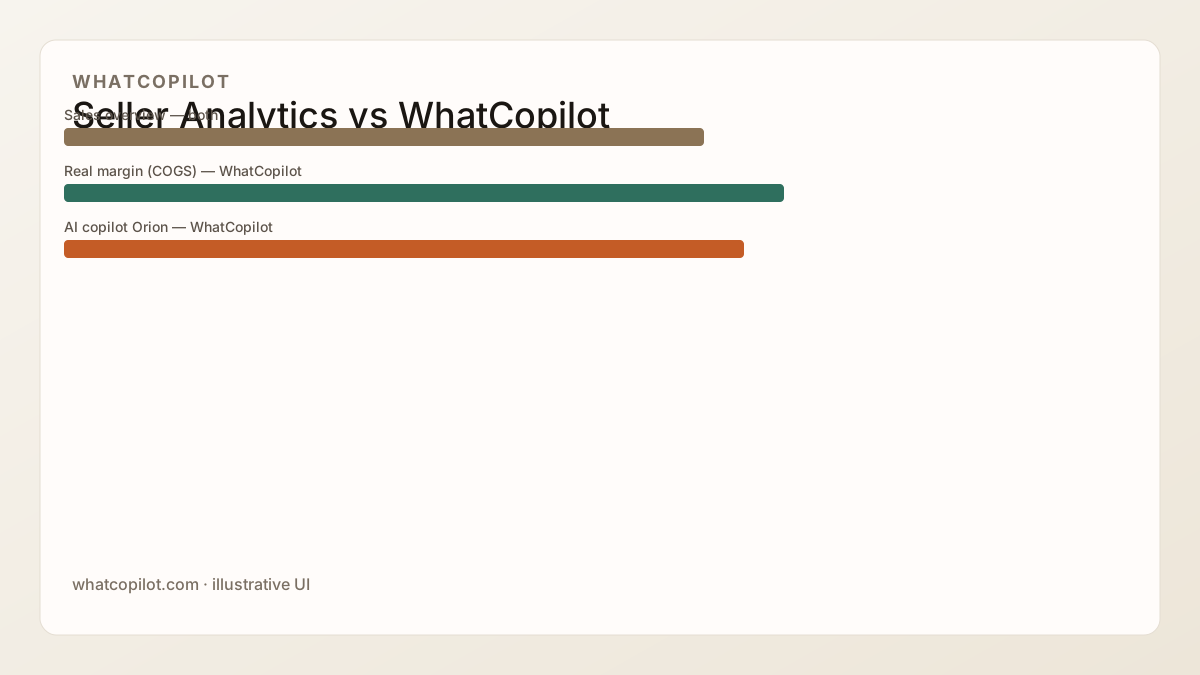
Detailed comparison: Whatnot Seller Analytics vs WhatCopilot. Below: CSV → margin cockpit + Orion. Keep reading, create a WhatCopilot account when you are ready to import your own CSV.
Why go beyond native analytics
Native Whatnot analytics answer “how much did I sell?” They struggle with “was it profitable show by show?” and “what should I change next live?” That is where an official ledger export plus a third-party analytics layer like WhatCopilot helps.
WhatCopilot does not replace Seller Hub: it is a business layer (KPIs, estimated margin, products, customers, livestreams) on the Seller Weekly Orders Report, plus Orion to query your data in natural language.
Import the Seller Weekly Orders Report into WhatCopilot
The Seller Weekly Orders Report is Whatnot’s official CSV ledger export. Each row is order earnings, refund, tip, or shipping. WhatCopilot imports it to compute net revenue, AOV, refunds, and estimated margin when cost_of_goods is filled.
Export the report
Seller Weekly Orders Report from Whatnot (Seller Hub).
Add the shop
In WhatCopilot: Settings → Shop.
Import the CSV
Imports module, you upload the file (no scraping).
Read the cockpit
Dashboard, Products, Customers, Livestreams, then ask Orion.
To decode transaction_amount, buyer_paid, and cost_of_goods, also read How to read your Whatnot Seller Weekly Orders Report.
WhatCopilot modules: dashboard, margin, products, customers, lives
After CSV import, WhatCopilot turns the ledger into a seller cockpit: KPIs, estimated margin, products, customers, livestreams, calendar, and inventory.
- Dashboard & Statistics, customer revenue, net revenue, estimated margin, trends.
- Products, SKUs, units, revenue, margin; quick Orion analysis.
- Customers, top customers, baskets, countries.
- Livestreams, per-show performance; duration estimated from order timestamps (Whatnot does not provide live start/end in the CSV).
- Inventory, backoffice stock (independent of Whatnot listings).
- Calendar, plan upcoming shows.
Margin formula and pitfalls: How to calculate your real Whatnot seller margin.
Orion: AI copilot for Whatnot sellers
Orion is WhatCopilot’s AI copilot. It uses your imported data (not generic web tips) to answer questions like which SKUs drive margin, which lives underperform, and which buyers concentrate revenue.
WhatCopilot plans include a monthly Orion message quota (see Pricing). Orion can be wrong: double-check important figures before pricing or inventory decisions.
Get started with WhatCopilot: checklist
Create your organization
Sign up for WhatCopilot, free to start with one shop.
Connect the shop
Settings → Shop: add your Whatnot account.
Fill in COGS
In Whatnot, on strategic lots, otherwise no estimated margin.
Import the latest CSV
Seller Weekly Orders Report → Imports module.
Browse then ask Orion
Dashboard, Products, Buyers, Livestreams, then 2–3 questions about the next live. Optional: demo.
What to read next
Ops cluster: sales · community · retention · fees. Early cash: launch bonus · seller referral. Product: Beta program.
FAQ
- What is Whatnot?
- Whatnot is a live shopping marketplace where buyers and sellers meet in livestream video around hobbies (trading cards, sneakers, vintage, and more). Typical formats include live auctions, Buy It Now, and giveaways.
- How do I create a Whatnot account?
- Download the iOS/Android app or go to whatnot.com, then sign up with Google, Apple, Facebook, or email. One email equals one account. Keep a valid email and phone for recovery.
- How do I sell on Whatnot?
- In the app, open + Sell → Get Started, accept Community Guidelines, enter category, experience, typical monthly sales, social links, and return address, then submit. Approval is often fast but can take up to about two weeks.
- Which countries can sell on Whatnot?
- Supported seller locations include the US, UK, France, Germany, Canada, and others. Payout bank and currency follow the country on the account. Check the current list in Whatnot Help: Seller location & currency.
- What are Whatnot seller fees?
- Whatnot deducts a seller commission plus payment processing fees automatically. Rates vary by category and country, use the official “Whatnot seller fees” Help Center article, not outdated marketing percentages.
- What is Whatnot Rehearsal Mode?
- Rehearsal Mode lets you practice going live without a real audience. It may be unavailable before your first real show. See Help Center: Practice going live with Rehearsal Mode.
- What does Whatnot Seller Analytics show?
- Seller Analytics (web) covers sales, estimated earnings, buyers, and streamed time, with Show vs Marketplace filters. Data often lags 1–2 days and is not a substitute for real-margin analysis or tax statements.
- Is WhatCopilot an official Whatnot tool?
- No. WhatCopilot is a third-party analytics product for Whatnot sellers. It uses the official Seller Weekly Orders Report CSV and includes Orion, an AI copilot. WhatCopilot is not affiliated with Whatnot.
- Do I need a paid subscription to finish this guide?
- No. This entire guide stays readable without an account. A free WhatCopilot account is for importing your CSV and using the product (margin, Orion). Paid plans may come later for product quotas, not for reading this guide.